Customer details in different files
Names, addresses and billing contacts sit in several places and rarely agree with each other.
Invoicing software · One-time packages · Digital delivery
Invoice & Business Administration Software
InvoiceHarbour Cloud gives freelancers and small businesses a clearer way to organise customer records, prepare invoices, track invoice status and maintain everyday billing information.
View Software Packages Explore Features
Operated independently by Aisha · UK sole trader
 Invoice records
Customer list
Status tracking
Invoice records
Customer list
Status tracking
The problem
Billing information often ends up spread across spreadsheets, email threads, note apps and paper copies. InvoiceHarbour Cloud brings the everyday parts of invoicing into one structured place.
Names, addresses and billing contacts sit in several places and rarely agree with each other.
Without a single reference list it is easy to repeat, skip or mistype an invoice number.
Payment terms are agreed but never recorded anywhere you can check quickly.
You remember a customer paid part of an invoice, but nothing records which part.
Standard services and usual amounts are retyped from memory each time.
Finding what you billed a customer last year means searching folders and inboxes.
Benefits
Every InvoiceHarbour Cloud package is built around the same practical set of organisation tools.
Names, business details, contacts, billing information and notes in one list.
Invoice references, dates, customers, items and notes held together.
Reusable invoice structures so each record follows the same layout.
A library of standard services, descriptions, categories and usual amounts.
Record payment terms and see which invoice records are approaching their due date.
Move records through draft, sent, due, paid, overdue, cancelled and archived.
Record payment references and organisational notes such as paid or partially paid.
Find records by customer, invoice number, status, due date or category.
Summarise records by status, customer or period where the package supports it.
Export invoice and customer summaries in the packages that include export options.
Product preview
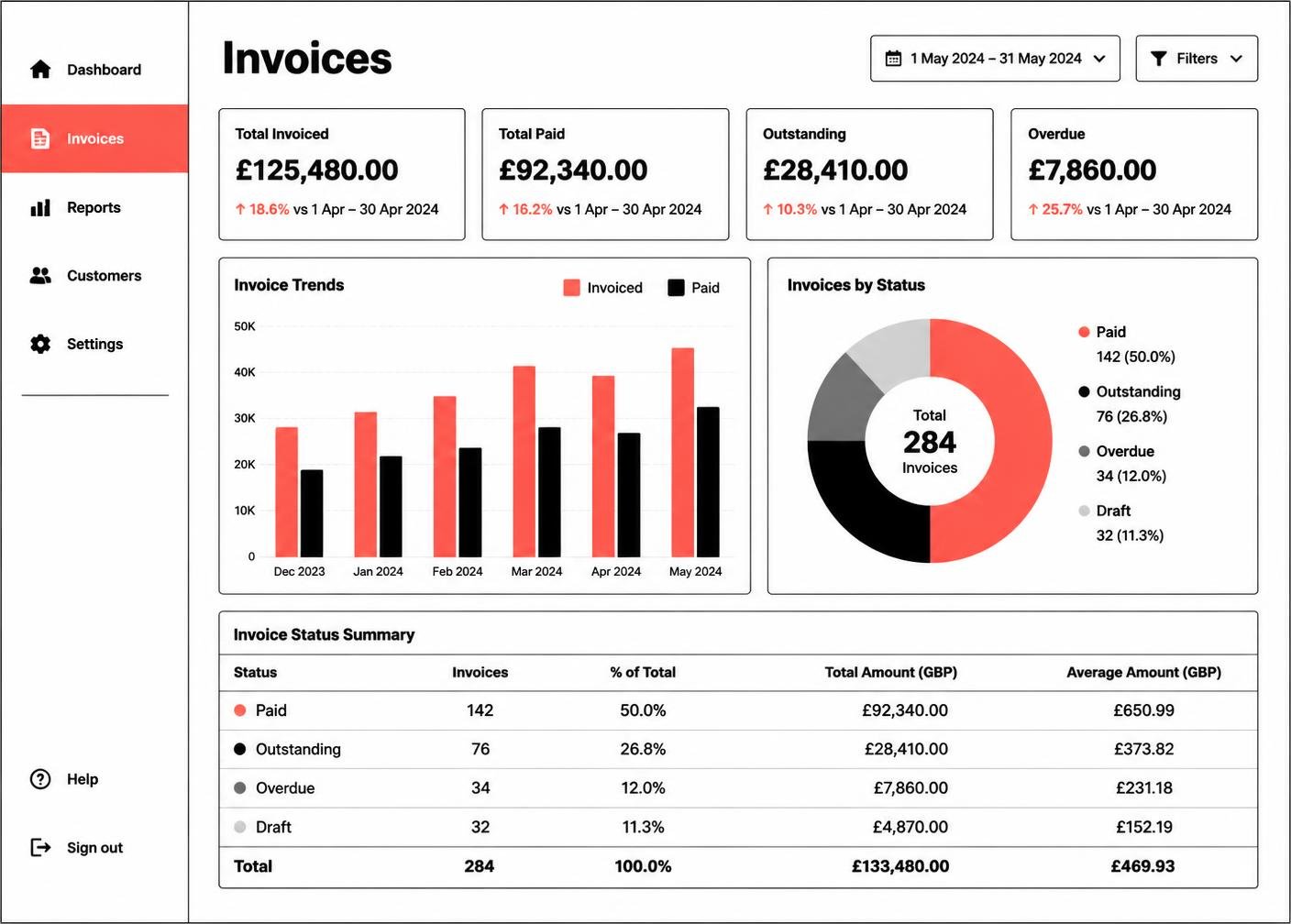
Interface previews are illustrative and use demonstration data such as Demo Client and INV-1024. Screens may vary according to the selected package and the delivered software version.
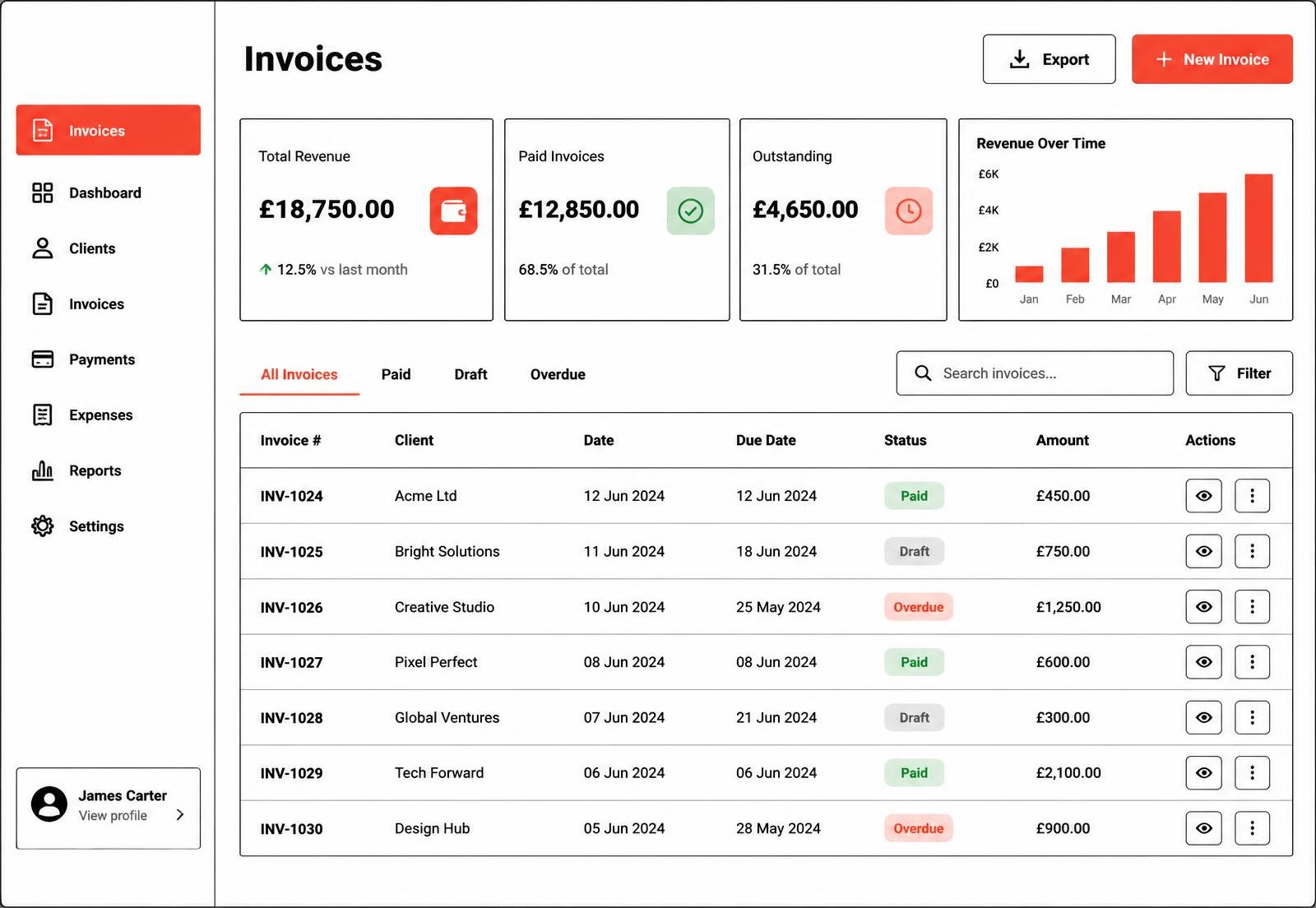
An overview of recent invoice records, status counts and organised totals in one screen.
Illustrative software preview · demonstration data
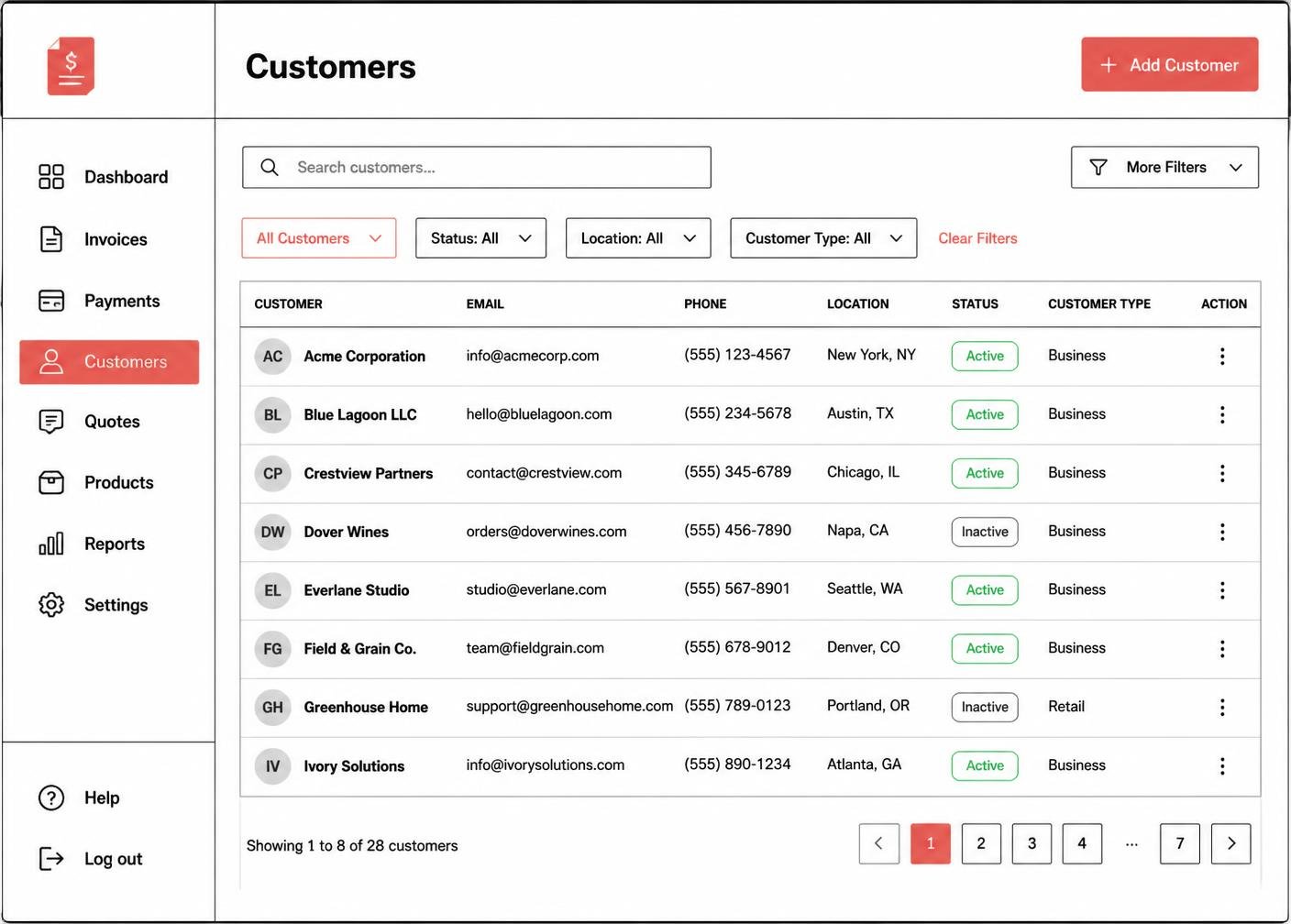
Customer names, business details, contact information and billing notes kept in one list.
Illustrative software preview · demonstration data
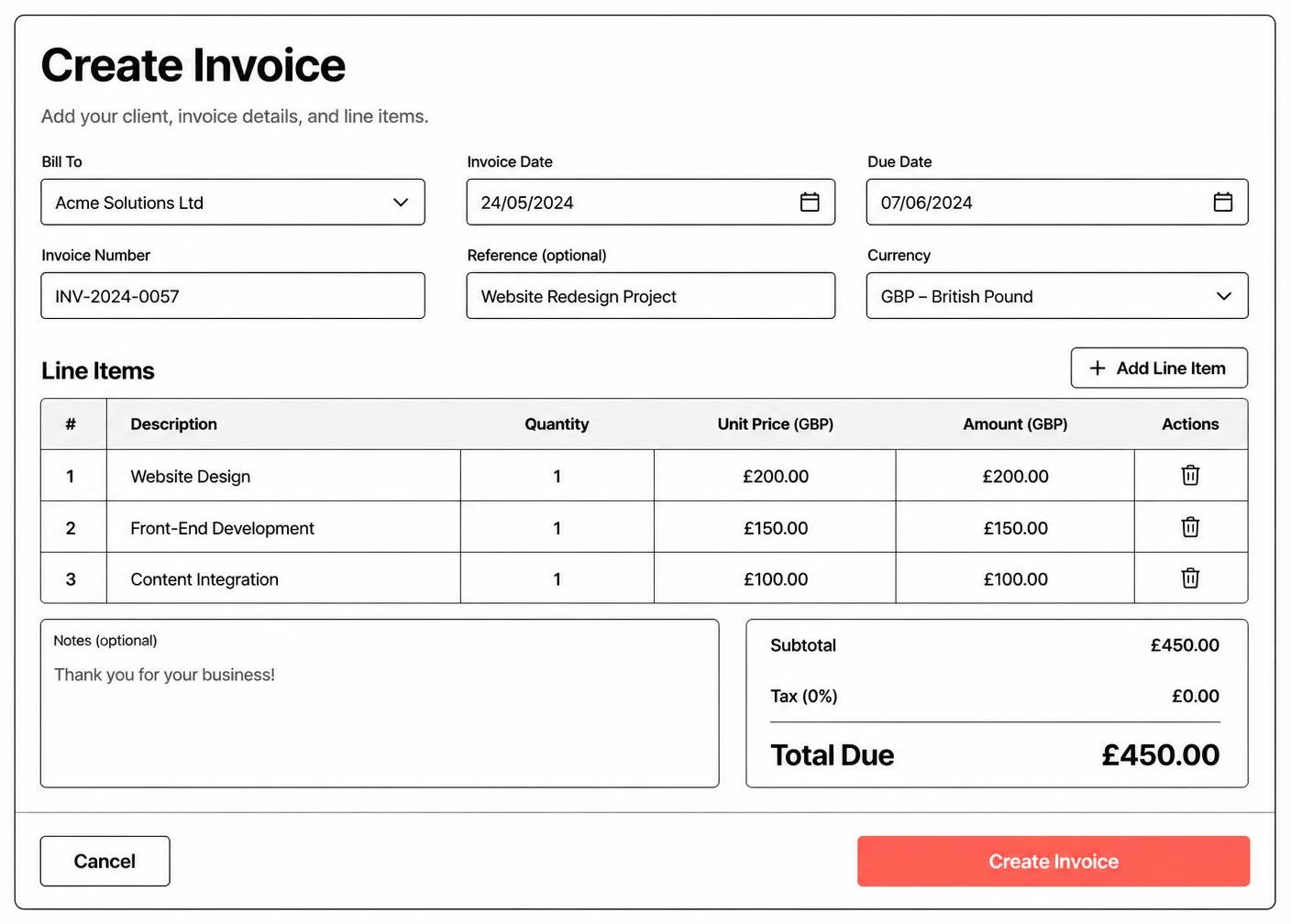
Prepare an invoice record with customer, reference, dates, line items and totals.
Illustrative software preview · demonstration data
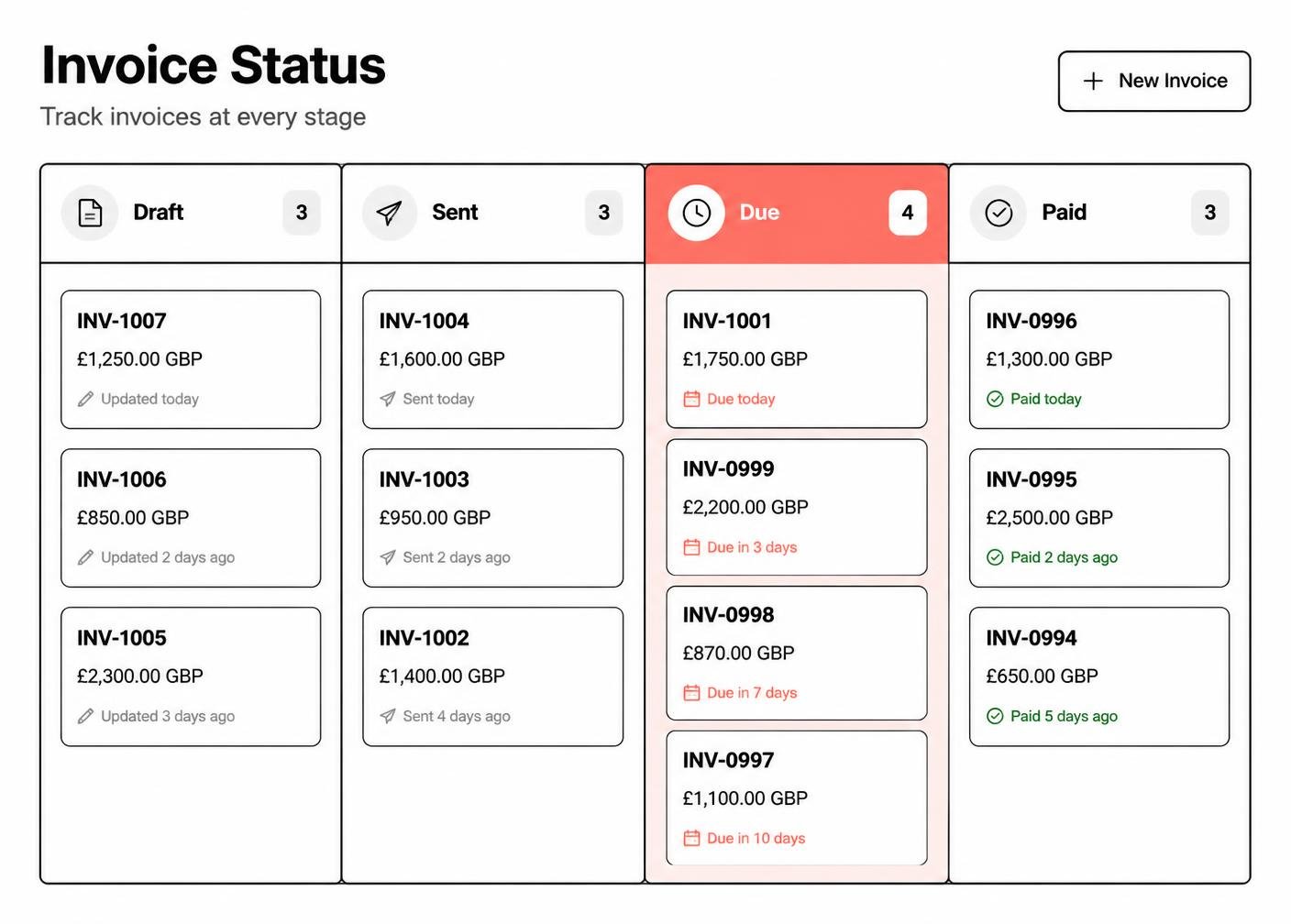
See which invoice records are draft, sent, due or marked as paid.
Illustrative software preview · demonstration data
How it works
A straightforward six-stage path from choosing a package to receiving your setup information.
Compare the six packages and pick the record capacity you need.
Add the package to your cart from any pricing card on the site.
Check the package and the one-time price before continuing.
Pay through Stripe's embedded payment interface on this website.
The confirmation page verifies the payment directly with Stripe.
Setup or access information is sent to your checkout email address.
Who it is for
InvoiceHarbour Cloud suits independent professionals and small teams issuing invoices every month.
Keep customers, invoice references and payment notes in a single workspace.
Track project invoices, due dates and invoice history per client.
Record jobs, standard services and the invoices issued for them.
Organise studio work, retainers and one-off invoice records.
Share a customer and invoice structure across a small team.
Keep everyday billing records tidy without a complicated system.

Pricing
Six packages are available in total. Every package is a one-time purchase in GBP with no automatic renewal.
Individual freelancers
£45 one-time
A straightforward invoice-organisation package for individual freelancers and sole traders managing a smaller number of customers and invoices.
One-time payment · No automatic renewal · Secure Stripe payment on this site
Most chosen
£145 one-time
A professional invoice-organisation package for consultants and service businesses requiring larger record capacity and more structured billing administration.
One-time payment · No automatic renewal · Secure Stripe payment on this site
Largest capacity
£595 one-time
A comprehensive one-time invoicing and business-administration software package for established small businesses that require larger capacity, advanced configuration and structured onboarding support.
One-time payment · No automatic renewal · Secure Stripe payment on this site
Why choose it
Pay once for the package you choose. There is no subscription and no recurring charge.
User allowances, customer-record limits and invoice-record limits are listed before purchase.
The owner, address, contact details and business type are published openly.
Nothing renews on its own and no card details are stored by InvoiceHarbour Cloud.
Access or setup information is sent to the email address entered at checkout.
Enquiries are answered by the owner, normally within one business day.
Payments
Payments are completed using Stripe's secure embedded payment interface, displayed inside the InvoiceHarbour Cloud checkout page. Sensitive payment details are handled by Stripe and are not directly stored by InvoiceHarbour Cloud.
FAQ
No. Every package is a one-time purchase in GBP with no automatic renewal.
Digital access or setup instructions are emailed to the address entered during checkout after payment is confirmed.
No. It organises invoice records only. It does not hold funds, provide bank accounts or process payments on your behalf.
Yes. Contact us with your current package and what you now need, and the difference will be confirmed in writing.
Choose the InvoiceHarbour Cloud package that matches your customer numbers, invoice volume and setup needs.